

Choosing the right bag for work and travel, especially one that protects your laptop, requires balancing security, comfort, and accessibility. The best bags for travel and work feature dedicated, padded laptop compartments, durable water-resistant materials, and thoughtful design elements like anti-theft features. You need to consider your laptop’s size, your typical travel mode (e.g., daily commute, Ryanair flights, long-haul to New York), and personal carrying preference (backpack, messenger, or rolling bag). Prioritize robust construction, ergonomic comfort, and smart organization to keep your device safe and accessible.
When you’re constantly on the move, whether it’s a daily commute across London, a business trip to Paris, or a family holiday involving easyJet, your laptop is often right there with you. It’s more than just a piece of tech; it’s your work, your entertainment, your connection to home. The thought of it getting damaged, cracked, or even stolen is enough to make any frequent traveler break into a cold sweat. So, how do you pick a bag that truly stands up to the rigors of travel and work, keeping your precious device safe?
It’s a question many seasoned travelers, commuters, and digital nomads wish they’d answered more thoroughly before that first scuffed screen or bent corner. The market is flooded with options, from sleek messenger bags to cavernous carry-ons. Knowing what truly matters for laptop protection can save you a lot of headache and expense down the line. Let’s dive into the practical aspects that define the best bags for travel and work.

Understanding Laptop Protection: Beyond Just a Sleeve
Many bags claim to protect your laptop, but what does that really mean? It’s more than just a thin fabric sleeve. Effective laptop protection involves several key design elements working in concert to absorb shocks, resist impacts, and deter theft.
The Crucial Role of Padding and Suspension
The most important feature for laptop protection is a dedicated, well-padded compartment. This isn’t just about soft foam; it’s about strategic placement and thickness. Look for bags where the laptop sleeve is suspended, meaning it doesn’t directly touch the bottom or sides of the bag. This ‘suspension system’ or ‘floating bottom’ creates an air gap, protecting your laptop from impact when the bag is dropped or set down hard. Some premium bags even incorporate rigid frames or reinforced panels for added structural integrity.
Material Matters: Durability and Weather Resistance
The exterior material of your bag plays a significant role. For travel, especially if you’re navigating unpredictable weather in cities like New York or Berlin, water resistance is key. Materials like ballistic nylon, treated polyester, or high-denier cordura offer excellent durability and can shed light rain. While ‘waterproof’ is often an overstatement, ‘water-resistant’ is a must. Check zippers too; YKK AquaGuard or similar water-resistant zippers add another layer of protection.
Security Features for Peace of Mind
Beyond physical impacts, theft is a real concern. The best bags for travel and work often integrate anti-theft features. These can include lockable zippers (TSA-friendly locks are a bonus, especially for flights), hidden pockets for valuables, and slash-resistant fabrics or straps. While no bag is entirely theft-proof, these features act as significant deterrents, particularly in crowded train stations or tourist hotspots.
Choosing Your Style: Backpacks, Messengers, or Rollers?
Your preferred carrying style heavily influences the bag’s ergonomics and, consequently, how well it protects your laptop over time. Each has its pros and cons, especially when factoring in your travel habits.
Backpacks: The Go-To for Comfort and Capacity
For most frequent travelers and commuters, a backpack is the most ergonomic choice. It distributes weight evenly across both shoulders, which is ideal for carrying heavier loads or navigating busy airports and public transport. When choosing a laptop backpack, ensure it has a dedicated, padded laptop compartment against your back – this offers better protection and often makes it easier to access for airport security checkpoints (think TSA regulations in the US or similar checks in Europe).
Crossbody Bags for Safe City Travel: A Practical Size and Features Checklist
- Pros: Superior weight distribution, often higher capacity, versatile for various travel types.
- Cons: Can feel bulky in crowded spaces, may require removing for security checks.
Messenger and Crossbody Bags: Quick Access and Style
Crossbody bags and messenger bags are popular for their quick access and often sleeker profiles. They’re excellent for urban commutes or short trips where you need your laptop and essentials readily available without taking off your entire bag. Look for models with a dedicated, well-padded laptop sleeve that fits snugly. A common mistake is choosing a messenger bag where the laptop sloshes around, increasing impact risk. For added security, some feature a stabilizing strap to keep the bag from swinging around when you’re rushing through a station in Paris.
- Pros: Easy access, stylish, good for lighter loads and short commutes.
- Cons: Uneven weight distribution can cause shoulder strain, limited capacity compared to backpacks.
Rolling Bags: When Lugging Isn’t an Option
For those with heavier laptops, multiple devices, or mobility concerns, a rolling bag with a dedicated laptop compartment is a godsend. These often come in carry-on bag sizes, making them suitable for flights with airlines like Ryanair or easyJet, provided they meet specific dimensions. Ensure the laptop compartment is separate from the main packing area and offers ample padding. Hard-sided rolling bags often provide superior impact protection for your tech.
- Pros: No heavy lifting, ideal for heavier loads, good for international travel.
- Cons: Less agile in crowded areas, can be heavier when empty.
Practical Considerations for Your Travel Profile
Your specific travel habits should dictate many of your bag choices. A student commuting daily to a university in Poland will have different needs than a business professional flying weekly between London and Frankfurt.
Laptop Size and Compartment Fit
This seems obvious, but it’s a critical oversight. Always check the exact dimensions of your laptop against the bag’s stated laptop compartment dimensions, not just the screen size. A 15-inch MacBook Pro might fit differently than a 15-inch Dell Latitude. A snug fit is crucial; too much room allows the laptop to shift and absorb more impact. Too tight, and you risk damaging the zippers or edges.
Airline Carry-On Regulations (Especially in Europe)
If you fly frequently, especially with budget airlines common in Europe like Ryanair or easyJet, paying close attention to carry-on bag dimensions is paramount. These airlines often have stricter size and weight limits for free cabin baggage. Many excellent laptop bags are designed to maximize space within these constraints. Always check the airline’s specific requirements before you travel to avoid unexpected gate fees. For long-haul flights to places like New York or Tokyo, standard international carry-on sizes are usually more generous.
Accessibility at Security Checkpoints
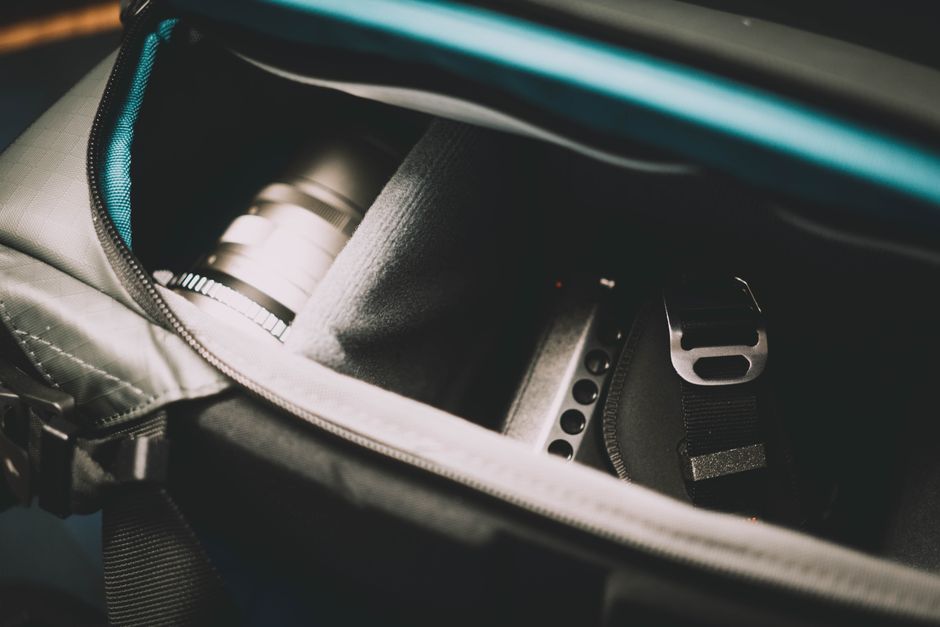
Consider how easily you can access your laptop for airport security. Some bags feature a ‘clamshell’ or ‘butterfly’ design, allowing the laptop compartment to lie flat without fully opening the bag, which can speed up TSA checks in the US and similar procedures in Europe. This design minimizes handling, reducing the risk of drops or leaving items behind.
Organization and Additional Storage
Beyond the laptop, think about what else you carry. Do you need pockets for chargers, adapters, external drives, a tablet, or a water bottle? Smart organization keeps everything secure and prevents items from jostling against your laptop. A good bag will have dedicated pockets for smaller electronics and personal items, so they don’t migrate into the laptop compartment.
The Anti-Theft Edge: Staying Secure on the Go
While we touched on anti-theft features earlier, it’s worth a deeper dive. Traveling through bustling train stations in Italy or crowded markets in Spain demands vigilance. Modern anti-theft bags go beyond just lockable zippers.
The Savvy Traveler’s Guide: Best Personal Item Bags for Budget Airlines
Slash-Resistant Materials and Straps
Some premium anti-theft bags incorporate steel mesh or ultra-high-molecular-weight polyethylene (UHMWPE) into their fabrics, making them resistant to slashing. This deters opportunistic thieves who might try to cut open a bag or strap to grab contents. For bags like crossbody bags, a slash-resistant strap is a major advantage, preventing a quick grab-and-run.
RFID-Blocking Pockets
Many contemporary bags now include RFID-blocking pockets. These pockets prevent electronic pickpocketing, where criminals use scanners to read personal data from your passport, credit cards, or key fobs. While not directly protecting your laptop, it protects the sensitive information often carried alongside it.
FAQs: Your Laptop Bag Questions Answered
How do I choose the right bag for work and travel?
To choose the right bag, assess your primary mode of transport (e.g., car, train, plane), the size of your laptop, and the amount of additional gear you carry. Prioritize a bag with a dedicated, padded, and preferably suspended laptop compartment. Consider ergonomic comfort for carrying, durable water-resistant materials, and specific features like anti-theft measures or quick-access pockets tailored to your daily needs and travel frequency.
What makes a laptop compartment truly protective?
A truly protective laptop compartment features dense, multi-layer padding on all sides, including the bottom. The best designs incorporate a ‘suspended’ or ‘floating’ bottom, meaning the laptop doesn’t touch the bag’s base, absorbing impact from drops. Additionally, it should fit your laptop snugly to prevent movement and be located against your back for better balance and security.
Are messenger bags as protective as backpacks for laptops?
Generally, backpacks offer superior protection due to even weight distribution and often more solid padding, especially with suspended compartments. Messenger bags can be protective if they have a well-padded, snug-fitting sleeve, but the single-shoulder carry can lead to more jostling and impact if not worn properly. For heavy laptops or rough travel, a backpack is usually the safer bet.
What should I look for in a laptop bag for international flights?
For international flights, look for a bag that meets carry-on size restrictions of major airlines (e.g., TSA approved for US, IATA compliant for Europe). A bag with an easily accessible, lie-flat laptop compartment speeds up security checks. Durability, water resistance, lockable zippers, and sufficient organization for chargers and documents are also crucial.
How important is water resistance for laptop bags?
Water resistance is highly important, particularly for travelers and commuters. Unexpected rain, spilled drinks, or even damp conditions can severely damage electronics. Look for bags made from treated fabrics like ballistic nylon or coated polyester, and pay attention to water-resistant zippers and seams, especially if you’ll be exposed to the elements in places like London or New York.
Do I need anti-theft features for my laptop bag?
While not strictly essential for everyone, anti-theft features significantly enhance security, especially in crowded urban environments or tourist areas. Lockable zippers, hidden pockets, and slash-resistant materials deter opportunistic theft. If you frequently travel through busy public spaces or carry valuable equipment, these features offer considerable peace of mind.
The Smart Traveler’s Choice
Choosing the best bags for travel and work, particularly when your laptop’s safety is on the line, isn’t a decision to take lightly. It’s an investment in your productivity, your peace of mind, and the longevity of your valuable electronics. By focusing on solid padding, durable materials, smart security features, and a design that complements your specific travel and work lifestyle, you can confidently navigate bustling airports, crowded commutes, and new destinations. Don’t let a poorly chosen bag lead to a costly repair or, worse, a lost device. Make an informed choice that truly protects your portable office. Explore more bags guides on AtTheFashion to find your perfect travel companion.






Leave feedback about this