


To choose the best bag for work and travel, prioritize a design that fits your laptop securely (often 13-16 inches), offers dedicated compartments for accessories, and is comfortable to carry for extended periods. Consider features like anti-theft measures, water resistance, and external USB charging ports. For air travel, ensure the bag meets carry-on dimensions for airlines like easyJet or TSA regulations for security checks. Evaluate your daily commute versus occasional trips, as a larger capacity might be needed for the latter, while a sleek, compact design suits shorter, regular travel within cities like New York or Paris.
In the evolving landscape of work, the line between ‘office’ and ‘travel’ often blurs. One day you’re working from your home office in Berlin, the next you might be presenting in a London boardroom or catching up on emails from a café in Paris. Your laptop isn’t just a device; it’s your portable office, and its carrier is more than just a bag—it’s an essential tool for productivity and peace of mind.
A common oversight when equipping for this lifestyle is underestimating the importance of a well-chosen laptop bag. It’s not just about fitting your machine; it’s about protecting your investment, organizing your peripherals, and ensuring your comfort through airport security lines, bustling train stations, and daily commutes. A good bag can transform a stressful journey into a smooth transition, allowing you to focus on your work rather than worrying about your gear.
This guide cuts through the noise to provide a practical checklist for finding the best laptop bags for remote work and commuting, helping you make an informed decision that truly supports your dynamic professional life.
Understanding Your Needs: Daily Commute vs. Extended Travel
Before diving into specific features, it’s crucial to differentiate between your primary use cases. Are you mostly commuting within your city, say from Brooklyn to Manhattan, or are you frequently on long-haul flights across continents? The answer significantly impacts the ideal size, capacity, and feature set of your bag.
For daily commutes, especially if you’re using public transport in cities like London or New York, a compact, lightweight bag with quick-access pockets might be preferred. It should be easy to maneuver in crowded spaces and offer essential protection for your laptop and a few daily essentials. Conversely, for extended travel, particularly if you’re relying on your bag as a carry-on for airlines like Ryanair or easyJet, you’ll need more capacity for clothes, toiletries, and other travel necessities, alongside solid laptop protection and organizational features.
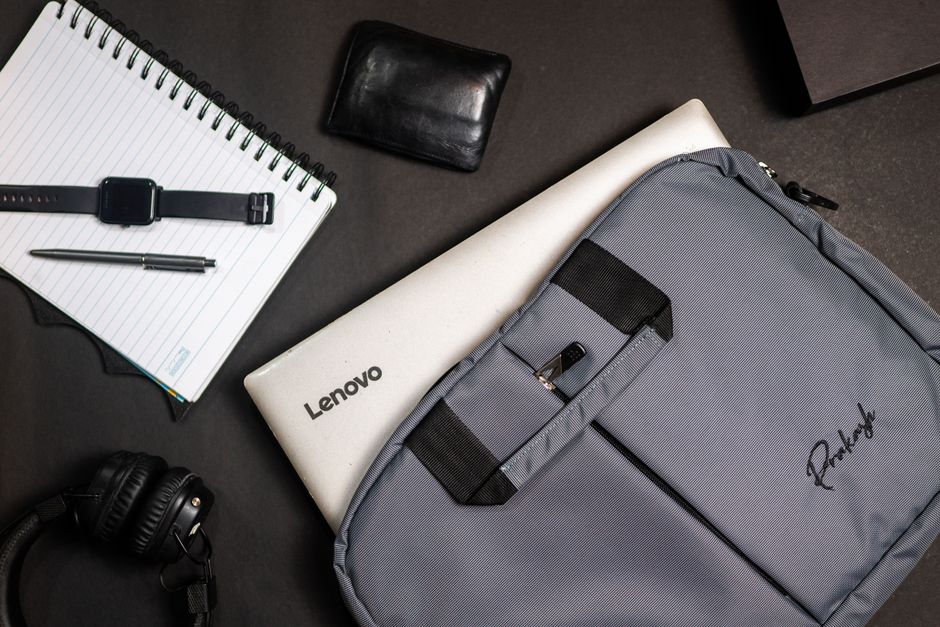
A professional on the go, navigating urban streets with a stylish yet practical laptop backpack, perfectly blending fashion with function for the modern remote worker.
Key Features to Look for in the Best Bags for Travel and Work Laptop Bags
When searching for the best bags for travel and work laptop bags, a methodical approach to features will save you both money and frustration. Here’s what to prioritize:
1. Laptop Compartment & Protection
This is non-negotiable. Look for a dedicated, padded laptop sleeve, ideally suspended from the bottom of the bag to prevent damage if dropped. Ensure it fits your specific laptop size (e.g., 13-inch, 15-inch, or 16-inch MacBooks or Windows laptops). Some bags offer multiple sleeves for a tablet alongside your laptop. Look for soft lining to prevent scratches.
2. Capacity & Organization
Consider what else you carry. Besides your laptop, do you need space for chargers, a mouse, headphones, notebooks, a water bottle, lunch, or even a change of clothes? Multiple compartments, internal dividers, and zippered pockets are invaluable for keeping items organized and preventing a chaotic rummage. External quick-access pockets are great for passports, phones, or boarding passes, especially when navigating TSA security.
Carry-on Bags for a Seven-Day Holiday: Comfort, Durability, and Security Compared
3. Comfort & Ergonomics
Even the best laptop bag is useless if it’s uncomfortable. For backpacks, look for padded shoulder straps, an adjustable sternum strap (especially if carrying heavy loads), and a breathable back panel. Crossbody or messenger bags should have a wide, padded, and adjustable strap. A luggage pass-through strap (trolley sleeve) is a godsend for connecting your bag to rolling luggage, a must-have for frequent flyers.
4. Material & Durability
The material impacts weight, water resistance, and overall lifespan. Common options include:
- Nylon/Polyester: Lightweight, durable, often water-resistant.
- Canvas: Stylish, but can be heavier and less water-resistant unless treated.
- Leather: Professional, durable, but heavy and requires more care.
Look for YKK zippers, reinforced stitching, and quality hardware. Water resistance is critical, especially if you commute in rainy climates like London or Seattle.
5. Security & Anti-Theft Features
When traveling through busy hubs like Charles de Gaulle Airport in Paris or Grand Central in New York, security is paramount. Consider bags with:
- Lockable zippers: Allows you to secure the main compartments with a TSA-approved lock.
- RFID-blocking pockets: Protects your credit cards and passport from digital theft.
- Hidden pockets: For valuables like cash or a passport.
- Slash-resistant materials/straps: Though less common, some premium bags offer this for extreme security.
6. Carry-on Compliance (for Travelers)
If your bag is doubling as a carry-on, check airline restrictions. Airlines like Ryanair and easyJet have strict size limits for cabin bags, often smaller than other carriers. Always check the airline’s specific dimensions before you fly. A bag that fits under the seat can be a lifesaver, avoiding gate-checked luggage fees.
Comparing Bag Types: Which is Best for You?
The form factor of your bag plays a huge role in its practicality. Each type has its pros and cons, making certain styles better suited for specific scenarios.
| Bag Type | Pros | Cons | Best For |
|---|---|---|---|
| Backpack | Even weight distribution, hands-free, high capacity, good for heavy loads. | Can be bulky, less formal for some settings, harder to access items quickly. | Long commutes, air travel, students, active professionals. |
| Messenger/Crossbody Bag | Quick access, more formal, good for lighter loads, stylish. | Uneven weight distribution (can strain shoulder), lower capacity. | Daily commutes, urban exploration, quick meetings, light carry. |
| Briefcase/Portfolio | Most formal, sleek, professional appearance. | Limited capacity, usually hand-carry only, less versatile for travel. | Office settings, formal business meetings, minimal carry. |
| Tote Bag (Laptop-friendly) | Stylish, spacious for non-work items, easy access. | Less structured, often less padded for laptop, can be less secure. | Casual remote work, personal items + laptop, light daily use. |
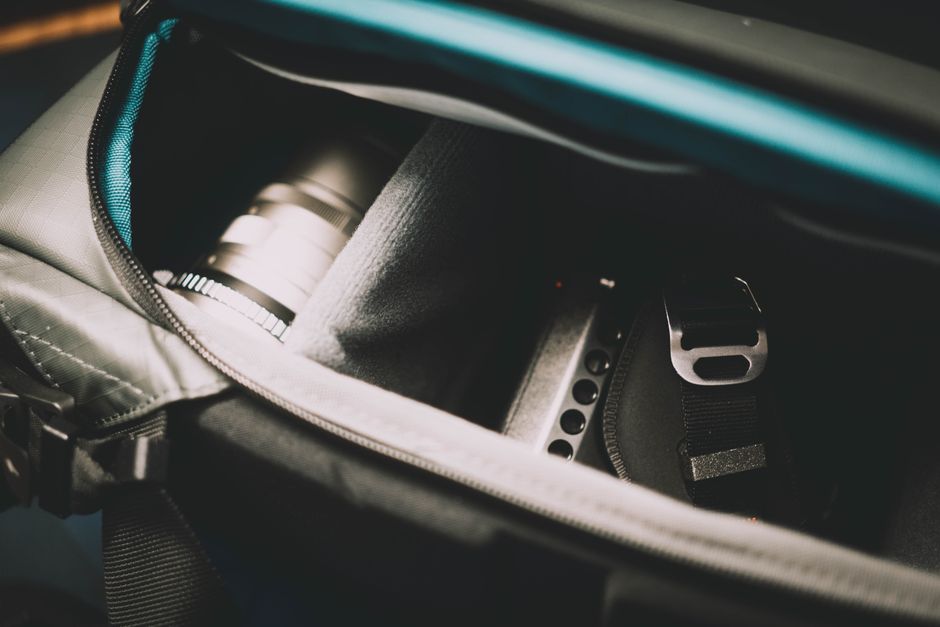
An organized interior of a laptop backpack, showcasing dedicated padded compartments for a laptop, tablet, and various tech accessories.
Common Mistakes When Choosing a Laptop Bag
Even with a checklist, it’s easy to fall into common traps. Avoid these pitfalls to ensure you pick the best bags for travel and work laptop bags for your needs.
Ignoring Laptop Size: A bag advertised for a ’15-inch laptop’ might be a tight squeeze for a chunky gaming laptop or too loose for a slim ultrabook. Always verify the internal dimensions of the laptop compartment against your device’s exact measurements. A poor fit risks damage and makes the bag less comfortable to carry.
Carry-On Bags for a Seven-Day Holiday: Budget-Friendly Choices for US and European Buyers
Overlooking Weight: An empty bag can feel light in the store, but once you load it with your laptop, chargers, books, and water, it can become a burden. Heavy materials like full-grain leather, while luxurious, add significant base weight. Prioritize lighter, durable synthetics if you’re regularly carrying your bag for long periods, whether walking through New York or transferring trains in Berlin.
Forgetting About Weather: A stylish canvas bag looks great, but if you live in a city known for its rain, like London, it offers minimal protection. Opt for water-resistant or waterproof materials and zippers to safeguard your electronics from unexpected downpours. A damp laptop is a ruined laptop.
Skimping on Comfort Features: Padded straps, breathable back panels, and sternum straps might seem like minor details, but they make a massive difference in comfort, especially if you’re commuting daily or navigating airports. A cheap, unpadded strap will dig into your shoulder and cause discomfort over time.
Not Considering Security: In bustling environments or when traveling internationally, security features are crucial. A bag with easily accessible, non-lockable zippers on main compartments is an open invitation for opportunistic theft. Look for thoughtful design elements like hidden pockets or lockable zipper pulls to keep your valuables safe.
FAQ: Your Laptop Bag Questions Answered
How do I know if a bag will fit my laptop?
Measure your laptop’s length, width, and thickness, then compare these dimensions to the bag’s laptop compartment specifications. Don’t rely solely on advertised screen size, as bezel sizes and laptop models vary greatly. Always check the actual internal dimensions.
Are anti-theft bags really necessary for commuting?
For daily commutes in busy urban areas like London, Paris, or New York, anti-theft features offer significant peace of mind. While not always strictly necessary, lockable zippers, RFID-blocking pockets, and slash-resistant panels can deter petty theft and protect sensitive data.
Can I use a laptop bag as a personal item on an airplane?
Many laptop bags, especially slim backpacks or messenger bags, can qualify as a personal item, provided they fit under the seat in front of you and adhere to the airline’s specific dimensions. Always verify the airline’s rules, as carriers like Ryanair and easyJet have stricter limits than others.
What’s the difference between water-resistant and waterproof?
Water-resistant means the bag can repel light rain or splashes for a short period. Waterproof bags are designed to prevent water ingress even when submerged or exposed to heavy, prolonged rain, often featuring sealed seams and specialized coatings. For most commutes, water resistance is sufficient.
How important is a luggage pass-through strap for travel?
A luggage pass-through strap (or trolley sleeve) is incredibly important for travelers. It allows you to slide your laptop bag over the handle of your rolling luggage, consolidating your items and freeing up your hands, making navigation through airports and train stations much easier.
Choosing the best bags for travel and work laptop bags requires a thoughtful balance of personal needs, practical features, and aesthetic preferences. By considering capacity, comfort, security, and airline compliance, you can find a bag that not only protects your tech but also enhances your productivity and ease of travel, whether you’re working remotely from home or on the move between cities. Explore more bags guides on AtTheFashion to find your perfect travel companion.




Leave feedback about this